Embedded Computing
  • About
  • Blog
  • Hardware
    • Which Platform?
    • Controller Platforms >
      • Adafruit Platform
      • Arduino Plaform
      • BBC micro:bit
      • Espressif Platform
      • iLabs Platform
      • Raspberry Pi Platform (MCU)
      • Seeed Platform
      • Silicon Labs Platform
      • Teensy Plaform
    • Computer Platforms >
      • BeagleBone Platform
      • Raspberry Pi Platform (SBC)
      • UDOO Platform
    • Peripherals >
      • Shields
      • Grove System
      • Sensors
      • Actuators
    • Displays >
      • E-Paper Displays
      • Reflective Displays
      • TFT Displays
      • LCD Displays
    • Legacy Platforms >
      • chipKIT Plaform
      • 4D Systems Platform
      • Intel Platform
      • LaunchPad Plaform
      • BoosterPacks for LaunchPads
      • LightBlue Bean
      • Maple Plaform
      • Mediatek Platform
      • Microsoft Azure IoT DevKit
      • Particle Platform
  • Software
    • Exploring RTOS with Galaxia >
      • Event Library
      • Semaphore Library
      • Mailbox Library
      • Timer Library
      • Clock Library
      • SWI Library
      • Task Library
    • Ultra-Low Power with EnergyTrace >
      • Ultra-Low Power with MSP430
      • Ultra-Low Power with Energia MT and Galaxia
    • Using Integers Instead of Reals
    • Going Python?
  • IoT
    • IoT Platforms: Which Hardware? >
      • Matter with Silicon Labs MG24
    • IoT Services: Which Solution? >
      • Recommended IoT Solutions
      • Platform-Specific IoT Solutions
      • Other IoT Solutions
      • Not tested IoT Solutions
      • Notification Solutions
    • Get Date and Time from Internet with NTP
    • Fast and Easy WiFi Connection with QR-Code
  • Tools
    • How to Start?
    • Reference >
      • Asking for Help
      • Boards Pins Maps
      • Ruler
      • Boards and Plugs
      • I²C Logic Level Converter
      • Standards for Connectors
    • Training >
      • Texas Instruments Workshops
      • Embedded Systems: Shape The World — MOOC edX UTAustinX UT.6.02x
      • Embedded Systems - Shape The World: Microcontroller Input/Output — MOOC edX UTAustinX UT.6.10x
      • Embedded Systems - Shape The World: Multi-Threaded Interfacing — MOOC edX UTAustinX UT.6.20x
      • Real-Time Bluetooth Networks: Shape the World — MOOC edX UTAustinX UT.RTBN.12.01x
      • Systems Thinking with Texas Instruments Robotics System Learning Kit
    • Books >
      • Getting Started with the MSP430 LaunchPad
      • Getting Started with Arduino
      • Arduino Cookbook
    • IDE >
      • The Battle of IDEs
      • More Options
      • Assessing the Next Generation of IDEs
      • Tools for Documentation
    • Equipment >
      • Saleae Logic Analyser
      • Rigol DS1102E Oscilloscope
      • XDS110 Debug Probe with EnergyTrace​
      • Segger J-Link Programmer-Debugger
      • Nordic Power Profiler Kit II
  • Projects
    • Libraries >
      • Master I²C Software Library
      • Date and Time Library
      • highView Library Suite
      • Others Libraries
    • smartDevices >
      • I²C smartColours Smart Sensor
      • I²C smartRFID Smart Sensor
      • I²C smartLED Display
      • I²C smartControls Smart Device
      • I²C smartWiFi Smart Device
      • I²C smartBLE Smart Device
      • I²C smartNode Smart Device
    • IoT Projects >
      • Remote E-Paper Weather and Message Board
      • Typie-Walkie with LoRa and E-Paper Screen
      • Typie-Walkie with E-Paper Screen
      • Remote e-Paper Pictures Panel
      • Remote e-Paper Messages Panel
      • Industrial IoT Project
      • Remote Contactless Temperature Monitor
      • Using Node-RED for IIoT
      • Low Power Home Network Weather Monitoring
      • Updated Low Power Home Network Weather Monitoring
      • Weather and Security Station with Blynk
      • SensorTag to Blynk Using Node-RED
      • Pervasive Reporting
    • AI Projects >
      • Colour Recognition with Neural Network
    • Other Projects >
      • Air Quality Monitoring
      • Driving a Large E-Paper Display with a Compact Xiao RP2040
      • Low-Power E-Paper Weather Station
      • Portable Particulate​ Matter Monitor
      • FRAM-based E-Paper Screen Controller
      • General Purpose 3.5" Screen
      • Colour Recognition with Neural Network
      • A Low Power Weather Station
      • Digital Volt-Amp-Watt Meter
      • Mobile Measurement with LCD Display
      • Screen with SRAM for GUI
      • Volt-Amp-Watt-Meter for Grove
      • Multi-Touch Project with CapTIvate

Pervasive Displays e-Paper BWR Screens

This is a revised version of the second generation of the Pervasive Displays e-Paper EPD Extension Kit Gen 2. It supports the new black-white-red screens with a 24 flat connector.

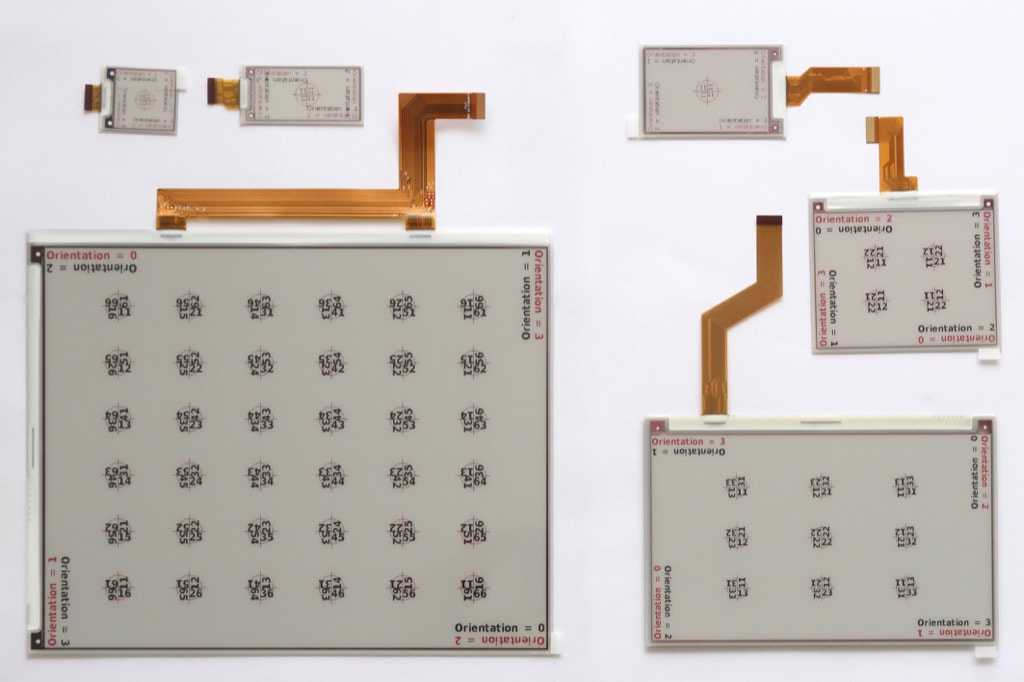
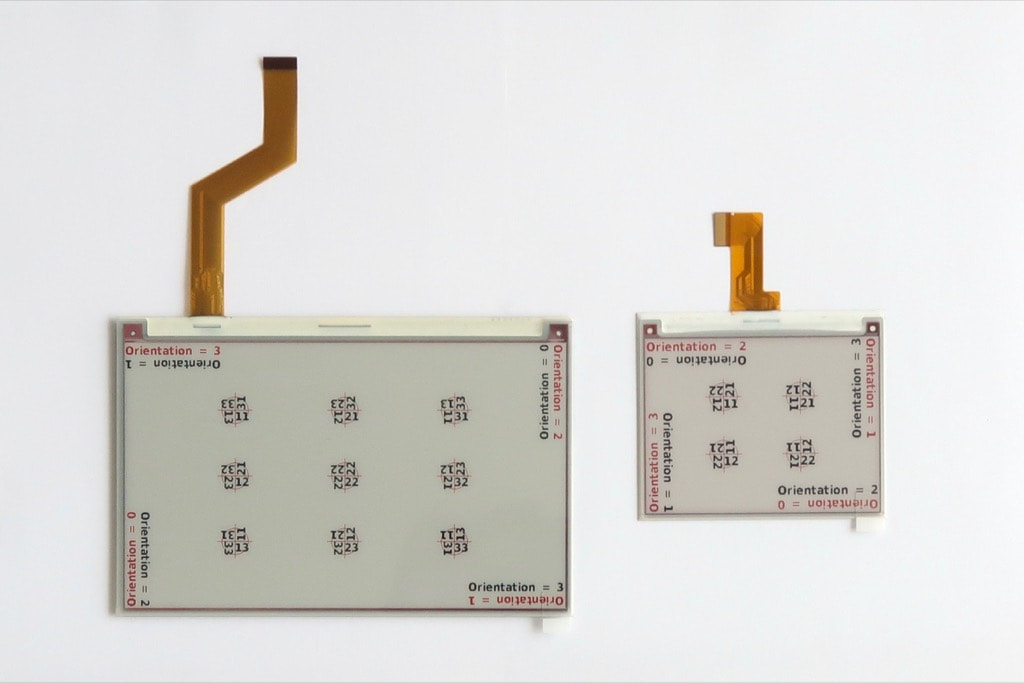
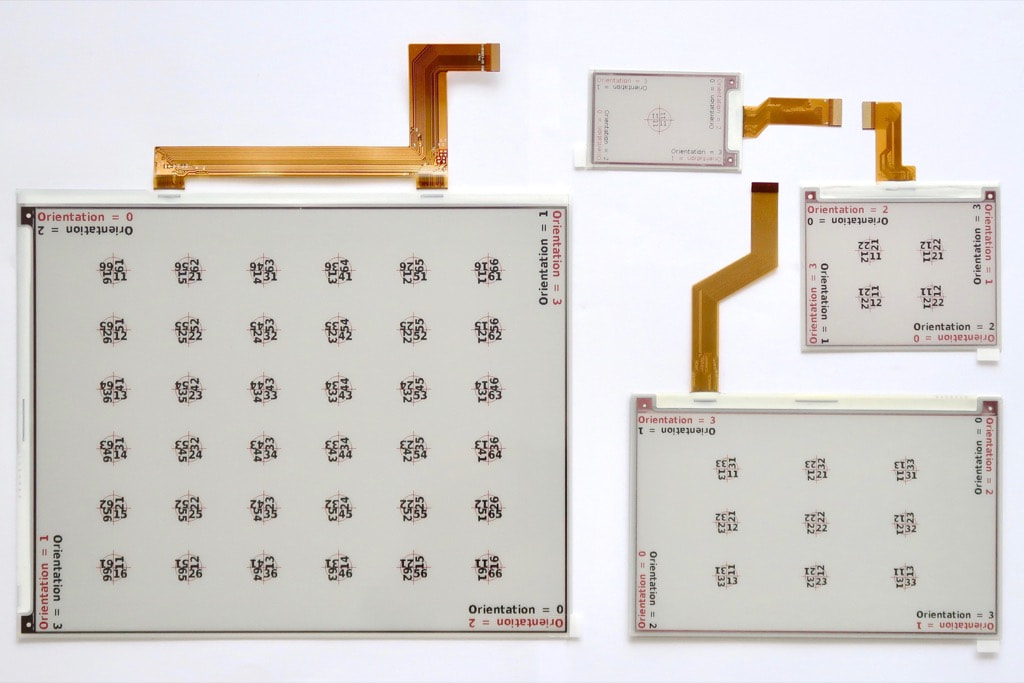
Pervasive Displays has launched new e-paper screens featuring three colours black-white-red and larger diagonals.
  • iTC 4.2" BWR screen with 300 x 400 pixels
  • iTC 7.4" BWR screen with 800 x 480 pixels
  • iTC 12.2" BWR screen with 960 x 768 pixels

​The screens were sampled by Pervasive Displays.
Picture
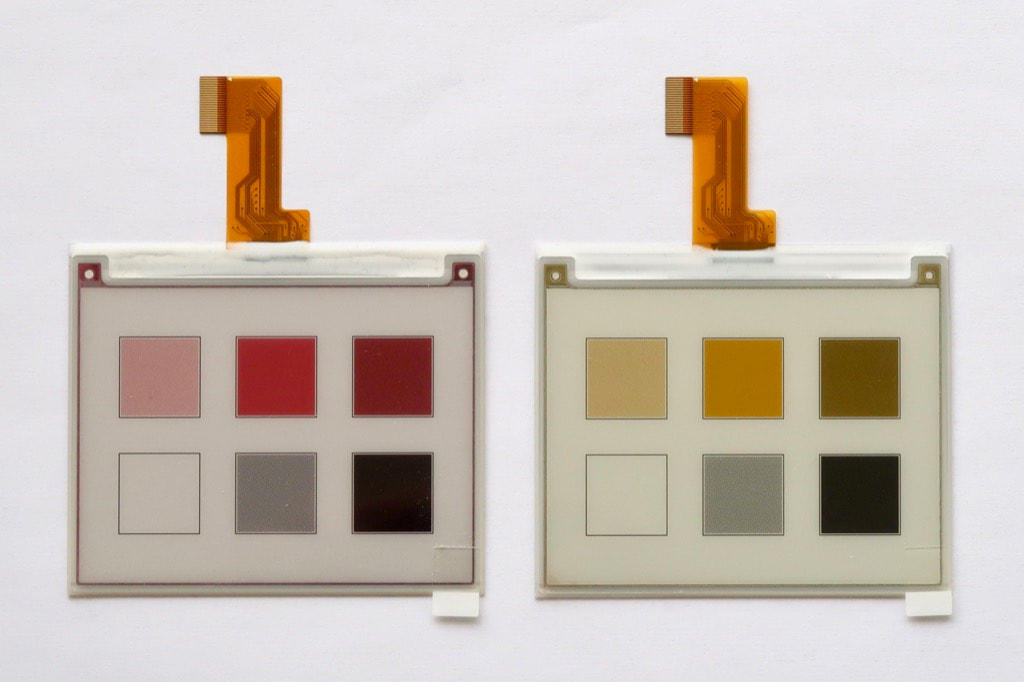
Most of the screens featuring black-white-red are also available with black-white-yellow, to be used with the same Pervasive Displays e-Paper EPD Extension Kit Gen 2.

​Learn more at Pervasive Displays e-Paper BWY Screens.
Picture

Hardware

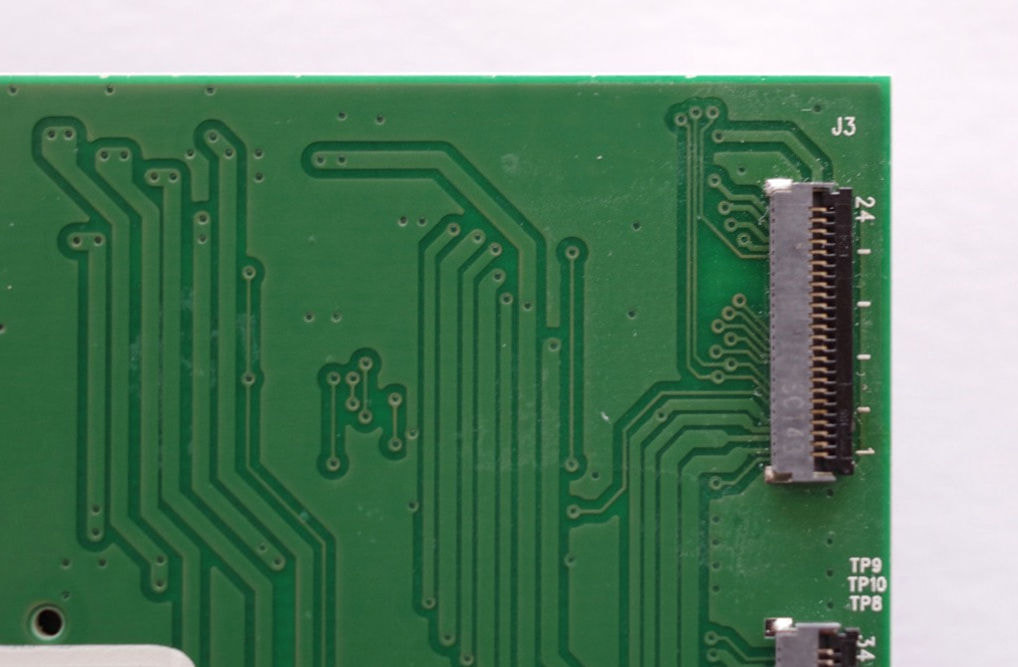
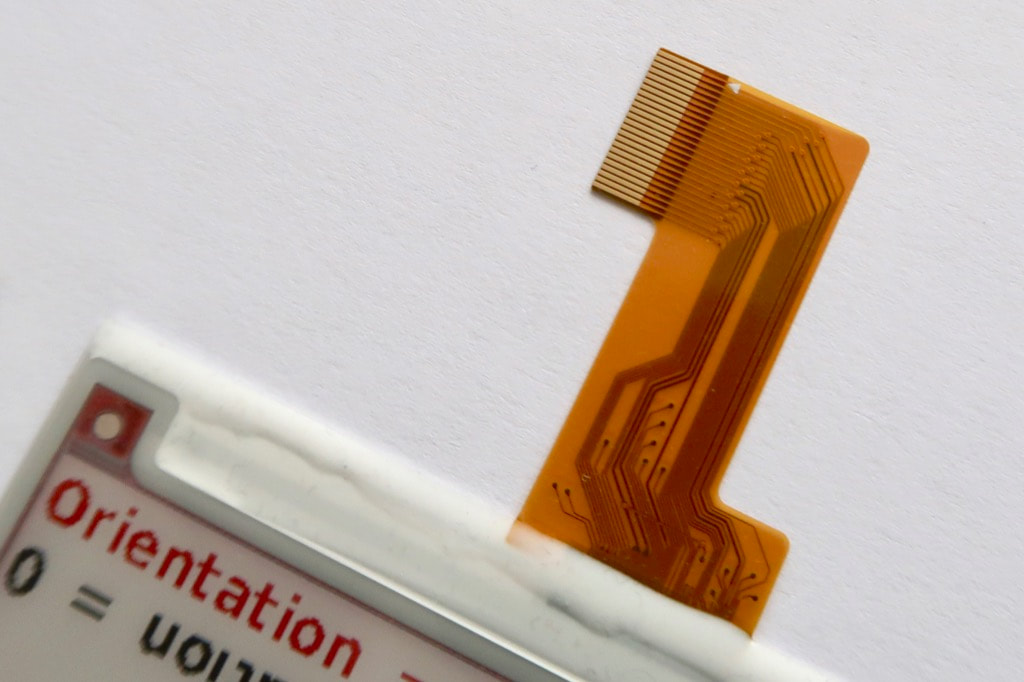
Those screens inaugurate a more compact flat cable with 24 ways only.

​
The Pervasive Displays e-Paper EPD Extension Kit Gen 2 adds a new ZIF connector accordingly.
Picture
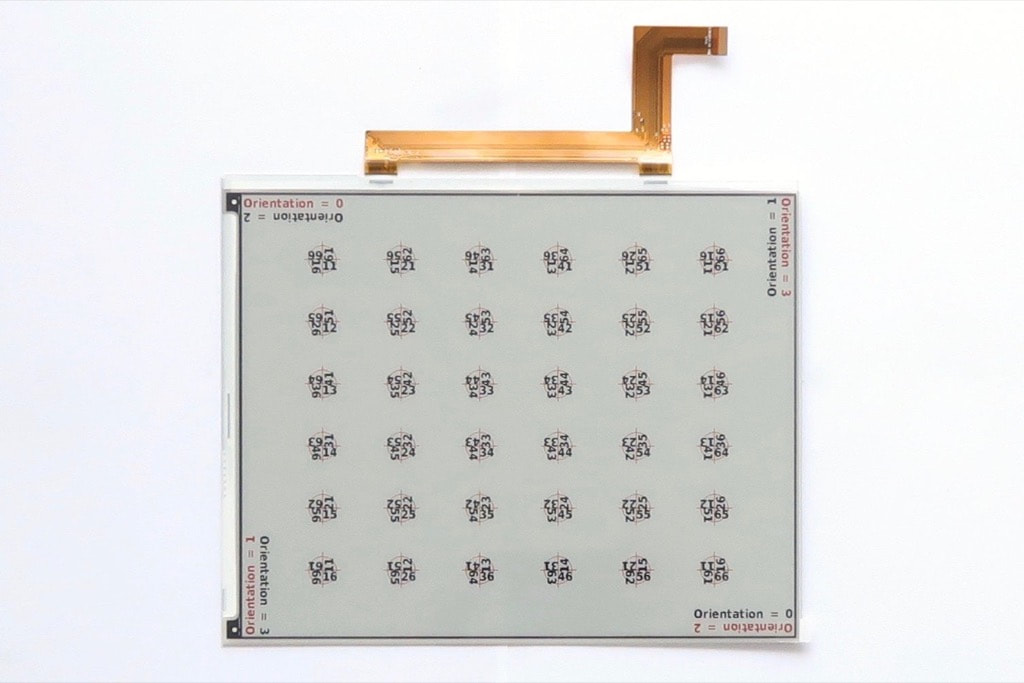
The flat cables from the screens are longer, making the connection easier.
Picture
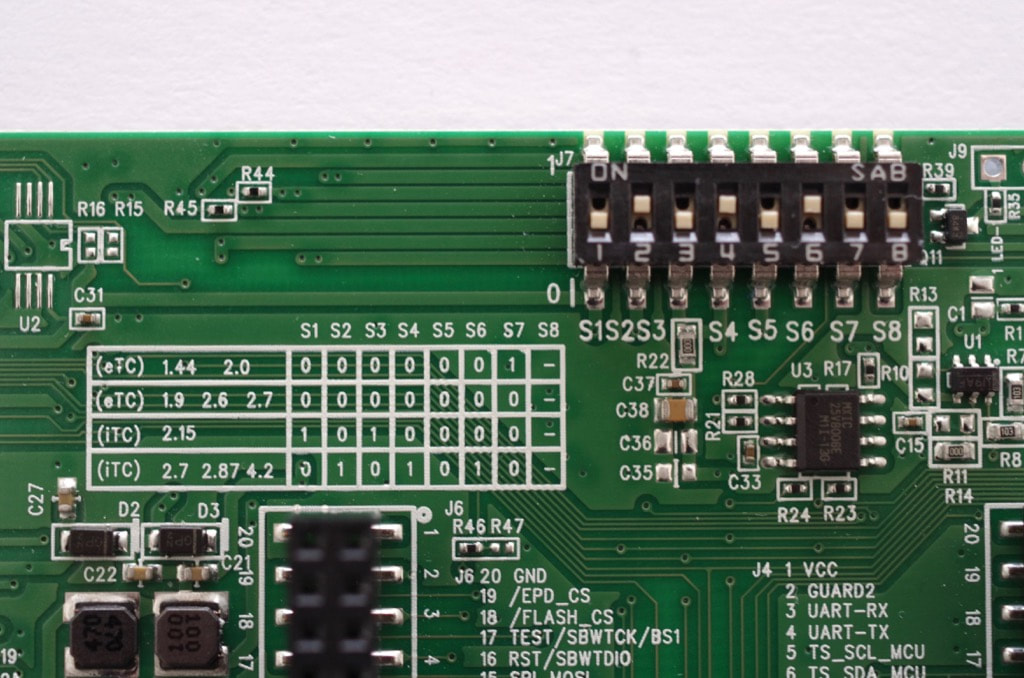
All the screens require the same configuration on the back on the board. ​Set the DIP switches to 01010100, according to the explanations printed just below. 
Picture
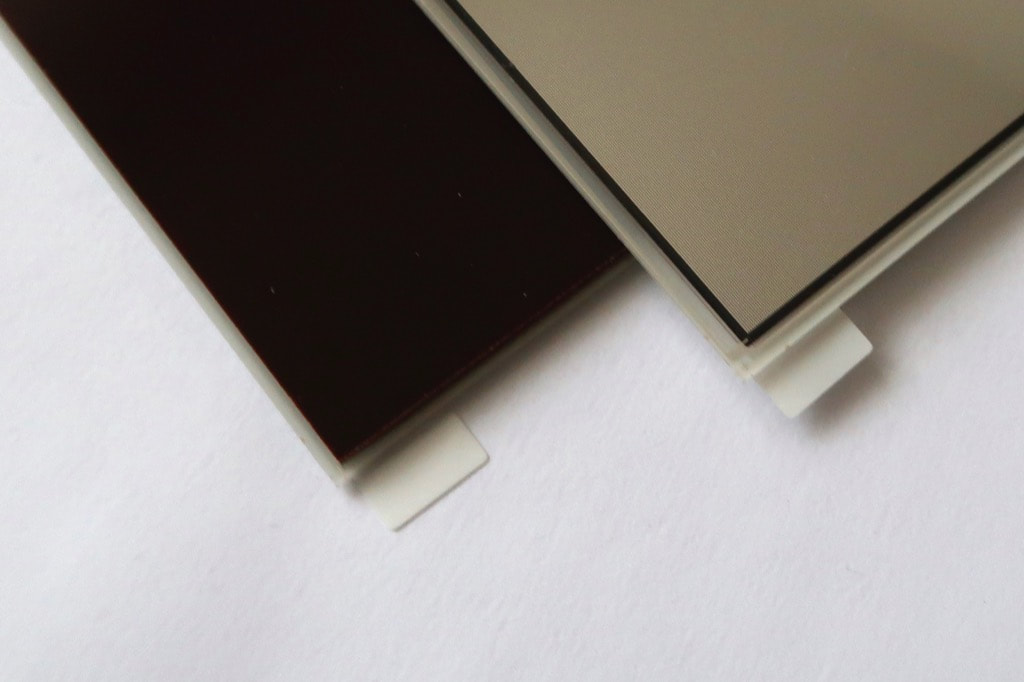
Because the screens are made of glass, they are rather fragile. The iTC 7.4" BWR comes with a back reinforced with a bakelite plate.

​This is a very nice addition. Let's hope other large screens like the iTC 4.2" BWR and iTC 12.2" BWR are going to benefit as well.
Picture

Software

Pervasive Displays provides a GitHub repository with examples for each screen. However, those examples do not leverage the built-in 8 Mb / 1 MB Flash.

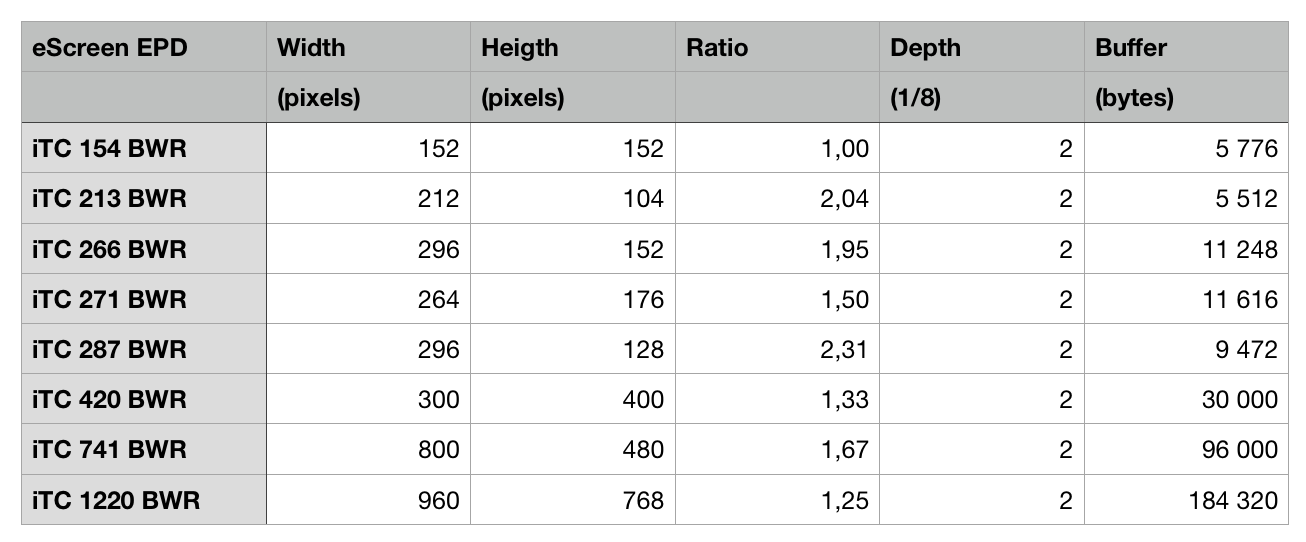
One major innovation is that the new screens no longer require two frame-buffers, one for the previous image and another for the next image. Having one single frame-buffer saves a lot of RAM.

However, larger screens mean larger buffers, up to 180 kB for the iTC 12.2" BWR, as per the table shown on the right. 
​
Picture
​Similarly, refreshing the larger screens takes longer, up to 45 seconds for the massive iTC 12.2" BWR.

Integrating the new screens to the 
LCD_screen Library Suite was easy thanks to the examples provided. The library now leverages the 8 Mb / 1 MB Flash of the Pervasive Displays e-Paper EPD Extension Kit Gen 2 to store the fonts, slashing the memory foot-print on the MCU. 

Picture
Updating the iTC 7.4" BWR takes 32 seconds, and the iTC 4.20" BWR 19 seconds.

​Smaller screens require less than 15 seconds typically.
Picture
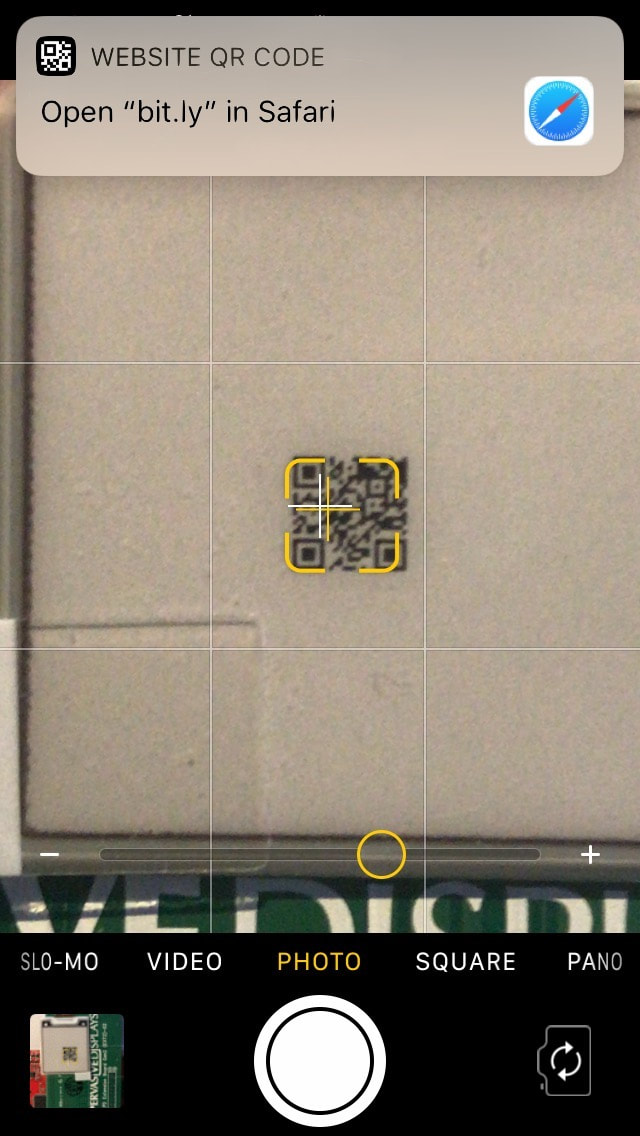
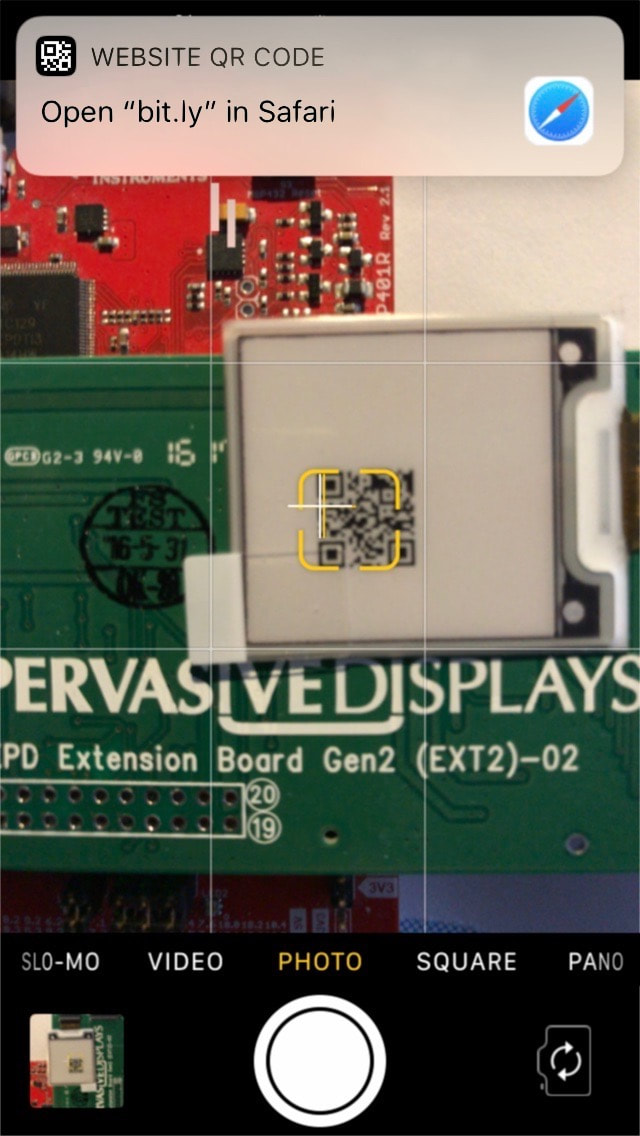
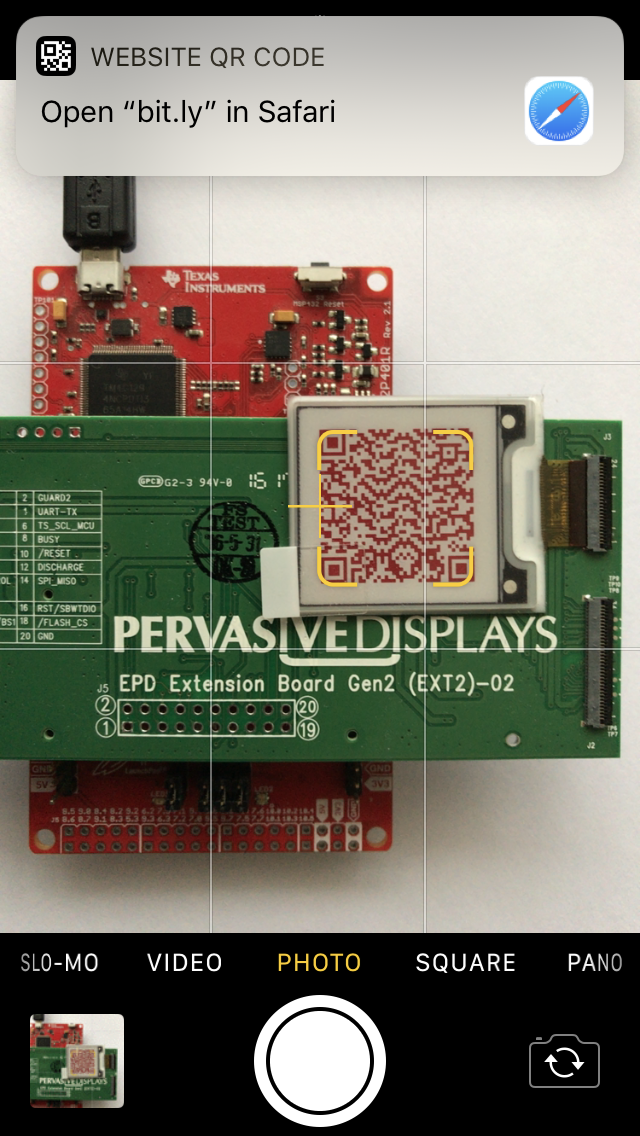
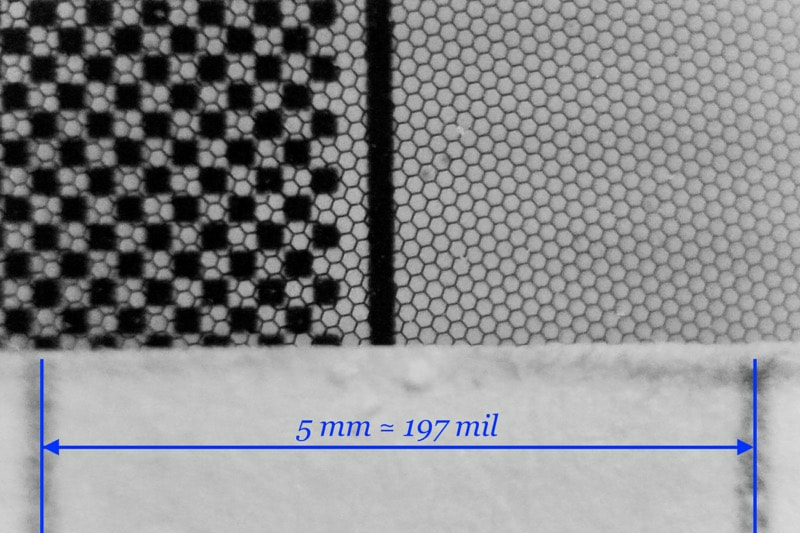
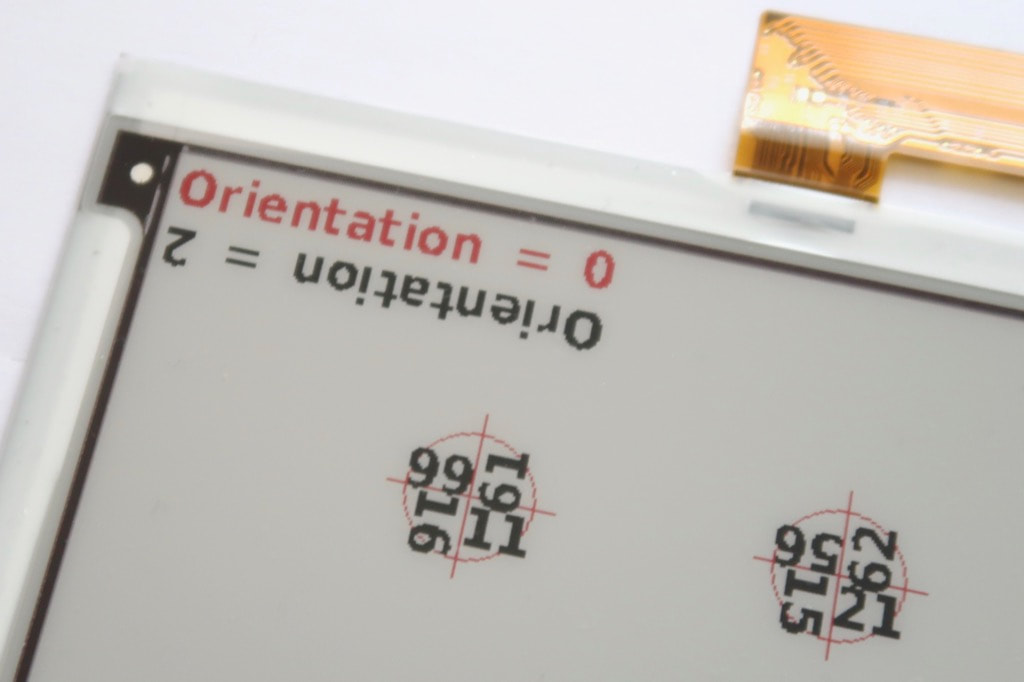
All the iTC BWR screens provide resolution superior to 110dpi.

​The smallest iTC 1.54 BWR screen tops with 140dpi, perfect for QR-code.

Even with one dot, the QR-code is read and recognised as a link by the iPhone.

​The QR-code is actually real and points to this very page.
Picture
Picture
Picture
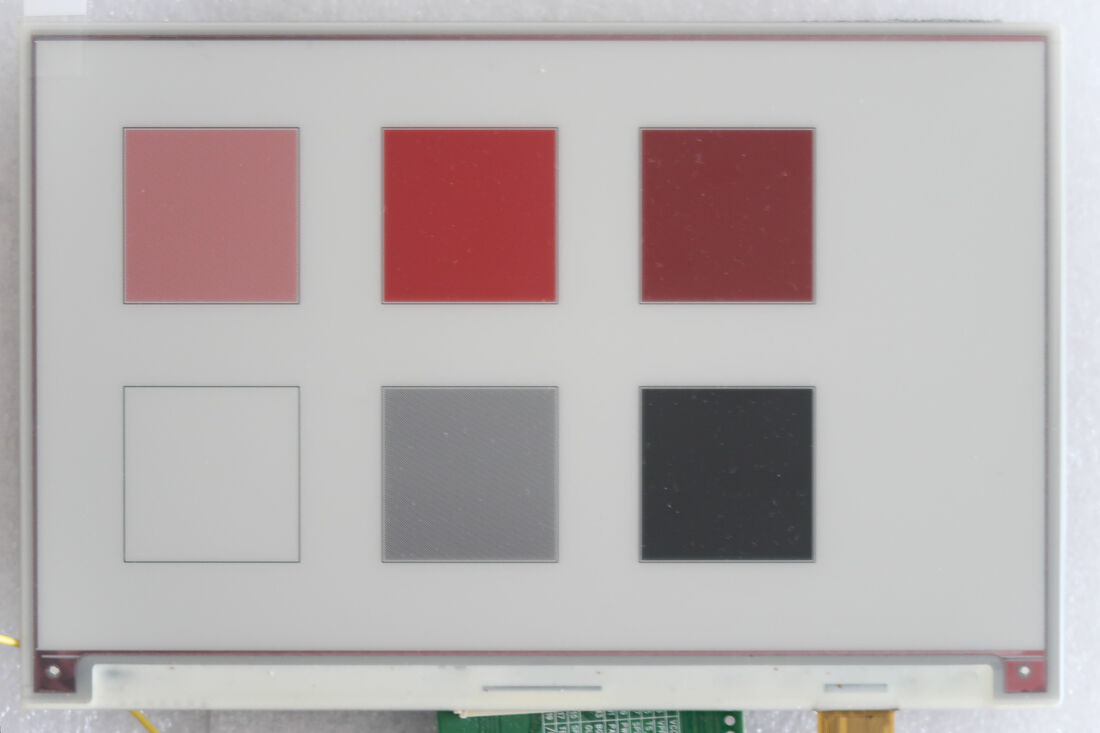
The high resolution allows to combine the colours to obtain new shades. 
​
Picture
Picture
  • Black and white give grey.
  • Red and white give light red.
  • Red and black give dark red.

Conclusion

I am very happy with the iTC BWR new screens, especially those with a ratio close to 1.5 (1.33~1.67).


Picture
The larger area gives space for more elaborated dashboards, the red colour is a clear differentiator, the single frame-buffer requirement saves space, and the examples provided make the transition really smooth.
Picture

Pros

  • Support for all screens
  • Large choice of sizes
  • Deep black and red colours

Cons

  • Almost all pins used
  • ​Built-in Flash memory not used in standard libraries

Wrap-Up

  • Deep black and red colours
  • Large choice of sizes
  • Improved speed and readability

Links

  • ​Pervasive Displays website 
  • Screens page
  • Library GitHub repository
Picture
Posted: 15 Nov 2018
Updated: 07 
May 2019
Powered by Create your own unique website with customizable templates.