Embedded Computing
  • About
  • Blog
  • Hardware
    • Which Platform?
    • Controller Platforms >
      • Adafruit Platform
      • Arduino Plaform
      • BBC micro:bit
      • Espressif Platform
      • iLabs Platform
      • Raspberry Pi Platform (MCU)
      • Seeed Platform
      • Silicon Labs Platform
      • Teensy Plaform
    • Computer Platforms >
      • BeagleBone Platform
      • Raspberry Pi Platform (SBC)
      • UDOO Platform
    • Peripherals >
      • Shields
      • Grove System
      • Sensors
      • Actuators
    • Displays >
      • E-Paper Displays
      • Reflective Displays
      • TFT Displays
      • LCD Displays
    • Legacy Platforms >
      • chipKIT Plaform
      • 4D Systems Platform
      • Intel Platform
      • LaunchPad Plaform
      • BoosterPacks for LaunchPads
      • LightBlue Bean
      • Maple Plaform
      • Mediatek Platform
      • Microsoft Azure IoT DevKit
      • Particle Platform
  • Software
    • Exploring RTOS with Galaxia >
      • Event Library
      • Semaphore Library
      • Mailbox Library
      • Timer Library
      • Clock Library
      • SWI Library
      • Task Library
    • Ultra-Low Power with EnergyTrace >
      • Ultra-Low Power with MSP430
      • Ultra-Low Power with Energia MT and Galaxia
    • Using Integers Instead of Reals
    • Going Python?
  • IoT
    • IoT Platforms: Which Hardware? >
      • Matter with Silicon Labs MG24
    • IoT Services: Which Solution? >
      • Recommended IoT Solutions
      • Platform-Specific IoT Solutions
      • Other IoT Solutions
      • Not tested IoT Solutions
      • Notification Solutions
    • Get Date and Time from Internet with NTP
    • Fast and Easy WiFi Connection with QR-Code
  • Tools
    • How to Start?
    • Reference >
      • Asking for Help
      • Boards Pins Maps
      • Ruler
      • Boards and Plugs
      • I²C Logic Level Converter
      • Standards for Connectors
    • Training >
      • Texas Instruments Workshops
      • Embedded Systems: Shape The World — MOOC edX UTAustinX UT.6.02x
      • Embedded Systems - Shape The World: Microcontroller Input/Output — MOOC edX UTAustinX UT.6.10x
      • Embedded Systems - Shape The World: Multi-Threaded Interfacing — MOOC edX UTAustinX UT.6.20x
      • Real-Time Bluetooth Networks: Shape the World — MOOC edX UTAustinX UT.RTBN.12.01x
      • Systems Thinking with Texas Instruments Robotics System Learning Kit
    • Books >
      • Getting Started with the MSP430 LaunchPad
      • Getting Started with Arduino
      • Arduino Cookbook
    • IDE >
      • The Battle of IDEs
      • More Options
      • Assessing the Next Generation of IDEs
      • Tools for Documentation
    • Equipment >
      • Saleae Logic Analyser
      • Rigol DS1102E Oscilloscope
      • XDS110 Debug Probe with EnergyTrace​
      • Segger J-Link Programmer-Debugger
      • Nordic Power Profiler Kit II
  • Projects
    • Libraries >
      • Master I²C Software Library
      • Date and Time Library
      • highView Library Suite
      • Others Libraries
    • smartDevices >
      • I²C smartColours Smart Sensor
      • I²C smartRFID Smart Sensor
      • I²C smartLED Display
      • I²C smartControls Smart Device
      • I²C smartWiFi Smart Device
      • I²C smartBLE Smart Device
      • I²C smartNode Smart Device
    • IoT Projects >
      • Remote E-Paper Weather and Message Board
      • Typie-Walkie with LoRa and E-Paper Screen
      • Typie-Walkie with E-Paper Screen
      • Remote e-Paper Pictures Panel
      • Remote e-Paper Messages Panel
      • Industrial IoT Project
      • Remote Contactless Temperature Monitor
      • Using Node-RED for IIoT
      • Low Power Home Network Weather Monitoring
      • Updated Low Power Home Network Weather Monitoring
      • Weather and Security Station with Blynk
      • SensorTag to Blynk Using Node-RED
      • Pervasive Reporting
    • AI Projects >
      • Colour Recognition with Neural Network
    • Other Projects >
      • Air Quality Monitoring
      • Driving a Large E-Paper Display with a Compact Xiao RP2040
      • Low-Power E-Paper Weather Station
      • Portable Particulate​ Matter Monitor
      • FRAM-based E-Paper Screen Controller
      • General Purpose 3.5" Screen
      • Colour Recognition with Neural Network
      • A Low Power Weather Station
      • Digital Volt-Amp-Watt Meter
      • Mobile Measurement with LCD Display
      • Screen with SRAM for GUI
      • Volt-Amp-Watt-Meter for Grove
      • Multi-Touch Project with CapTIvate

Grove Beginner Kit for Arduino

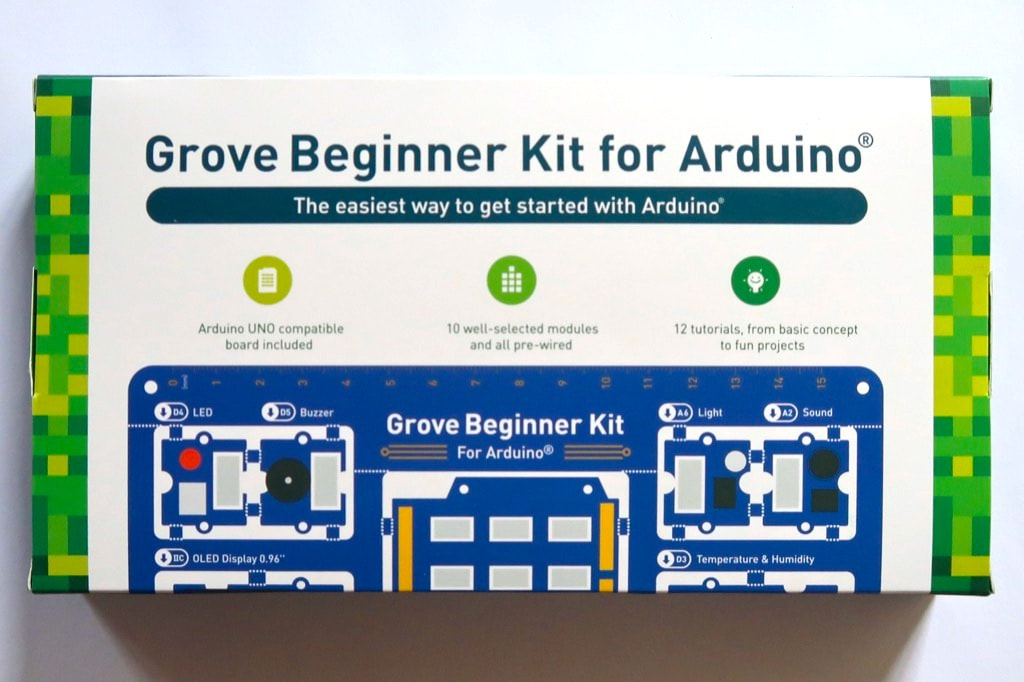
How to start exploring the world of embedded systems? How to get all the required hardware at once and avoid cables misconnections?

​The Grove Beginner Kit for Arduino offers an all-in-one solution with a large set of peripherals.

The kit was sampled by SeeedStudio through the Seeed Amazon Early Reviewer Program at Amazon.fr.
Picture

Hardware 

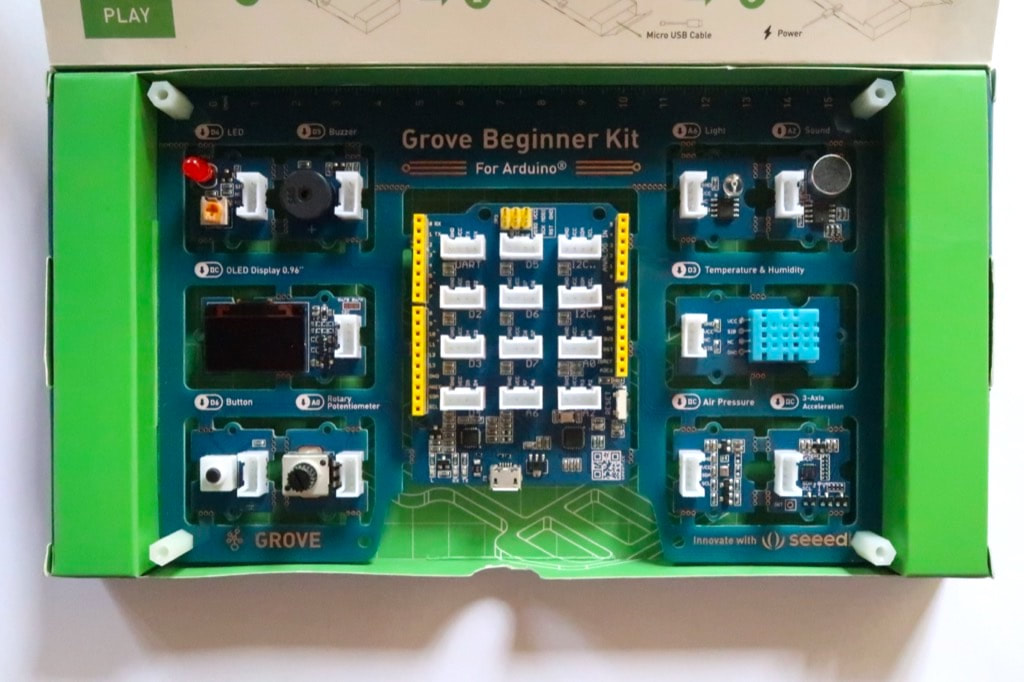
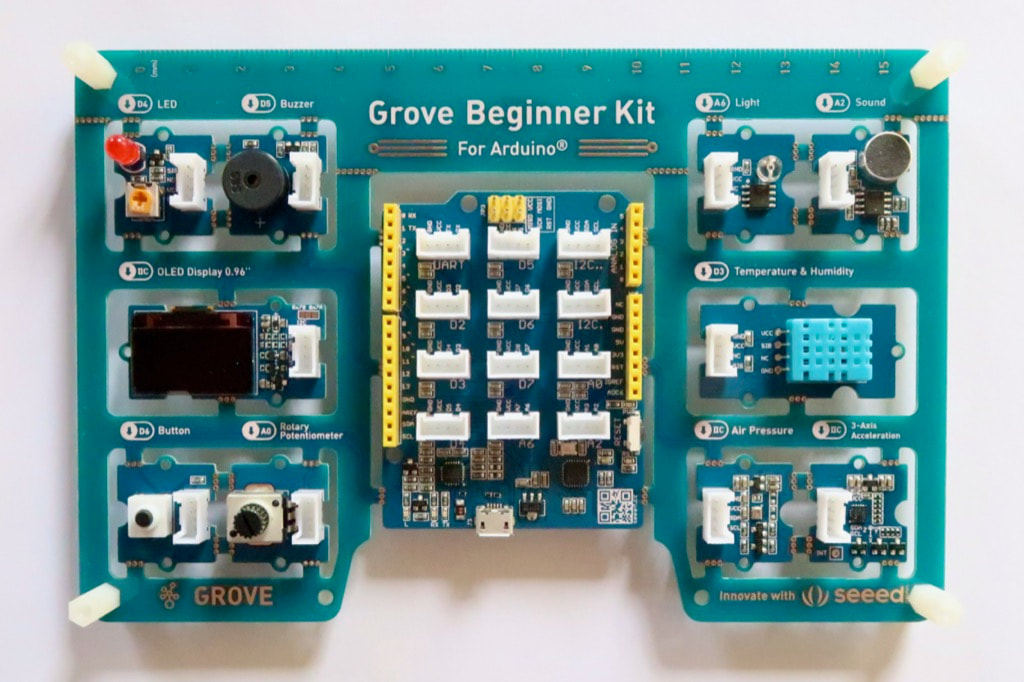
This kit contains everything needed to get started:
  • a single board includes an Arduino Uno compatible controller ​and the ten peripherals,
  • a USB cable for power, and
  • six Grove cables.

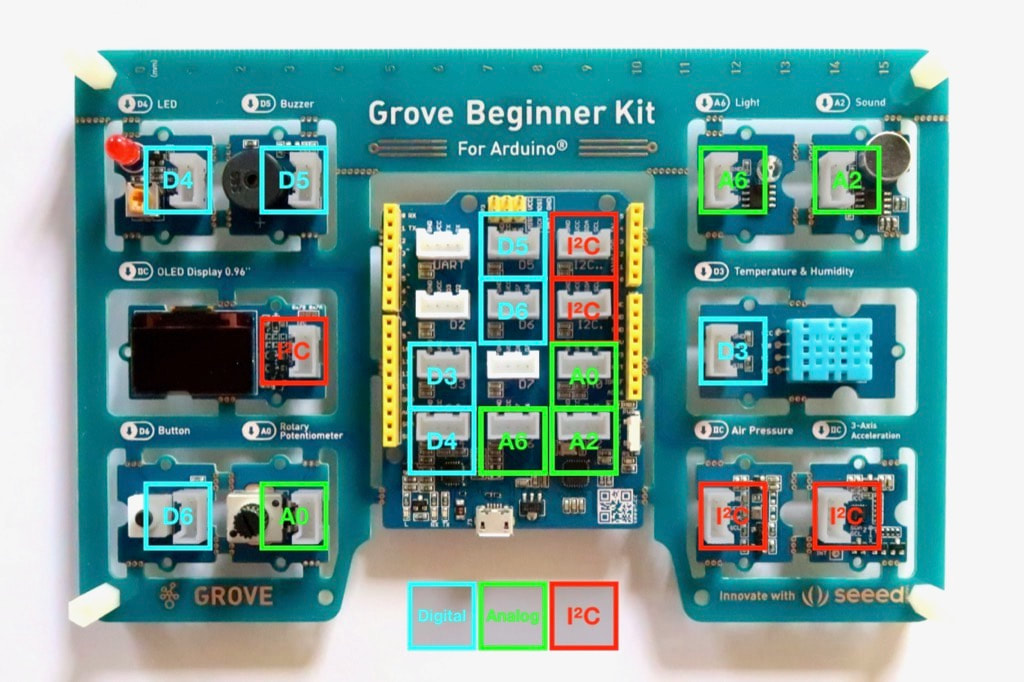
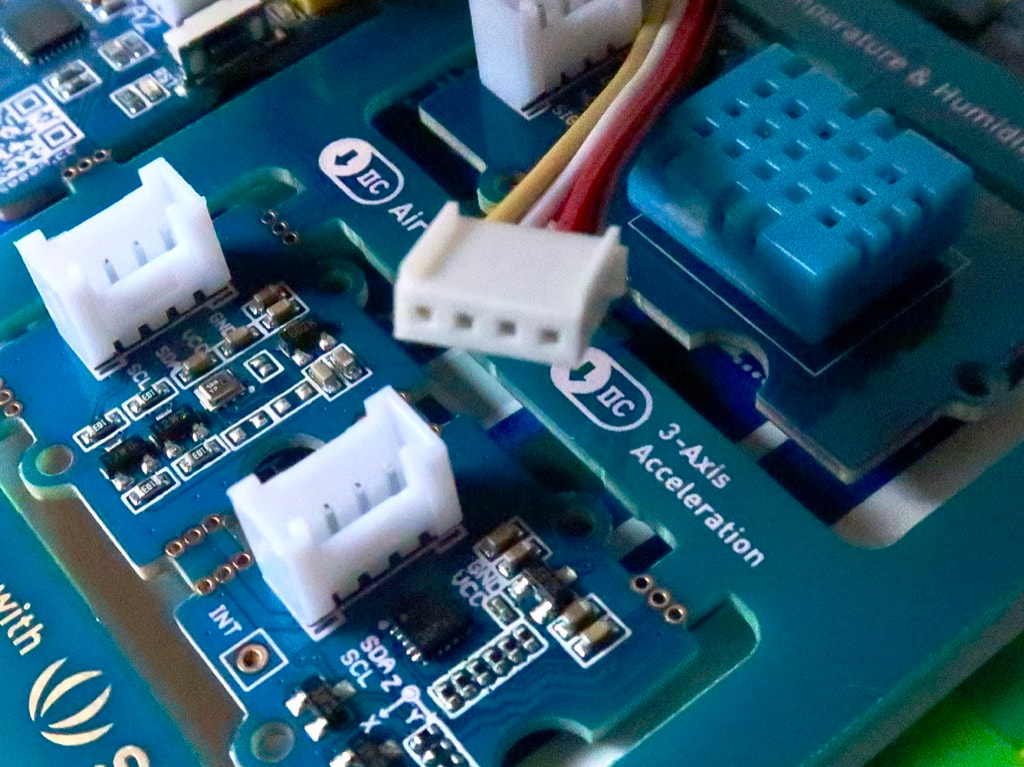
The board is very clean. Each peripheral mentions its name and how it is connected: digital, analog or I²C. I like the idea of connections going through the board without cables.

​The originality lies in the multiple levels of use.
Picture

Twelve lessons

Just connect the USB cable for power to access the first level.

​The pre-programmed out-of-the-box example allows to discover each of the included peripherals grouped in three categories:
  • Digital: button, light-emitting diode, buzzer, thermometer and hydrometer;
  • Analog: potentiometer, luxmeter and microphone;
  • I²C bus: screen (SSD1315), barometer (BMP280) and accelerometer (MMA7660FC).

The silk-screen mentions the name and the connection for each peripheral: digital, analog or I²C.
Picture
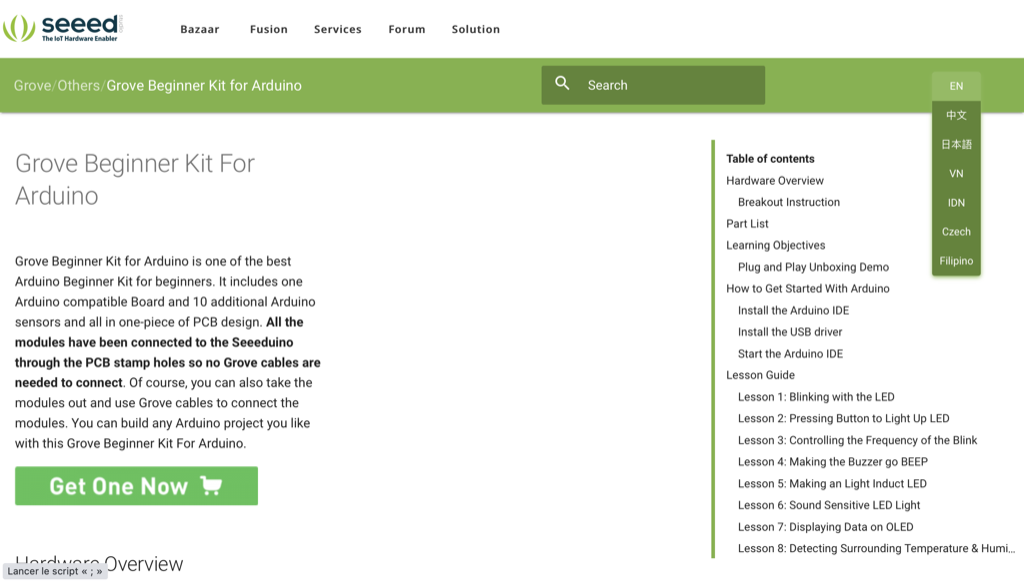
At the next level, the wiki section offers twelve lessons to explore each of the peripherals separately. If it is available in several languages, including English, but unfortunately not yet in other European languages like French, Spanish or German, except Czech. Hopefully, the wiki is written in plain English, so the automated translators have no issue translating the instructions in plan words into non-English languages.

​The instructions are clear and progressive. They are also available as a PDF document Grove Beginner Kit for Arduino Wiki to download for off-line reading.

For example, lesson 4 about the buzzer introduces the concept of PWM, lists the components involved and the required connections, provides the code with useful comments on key functions.

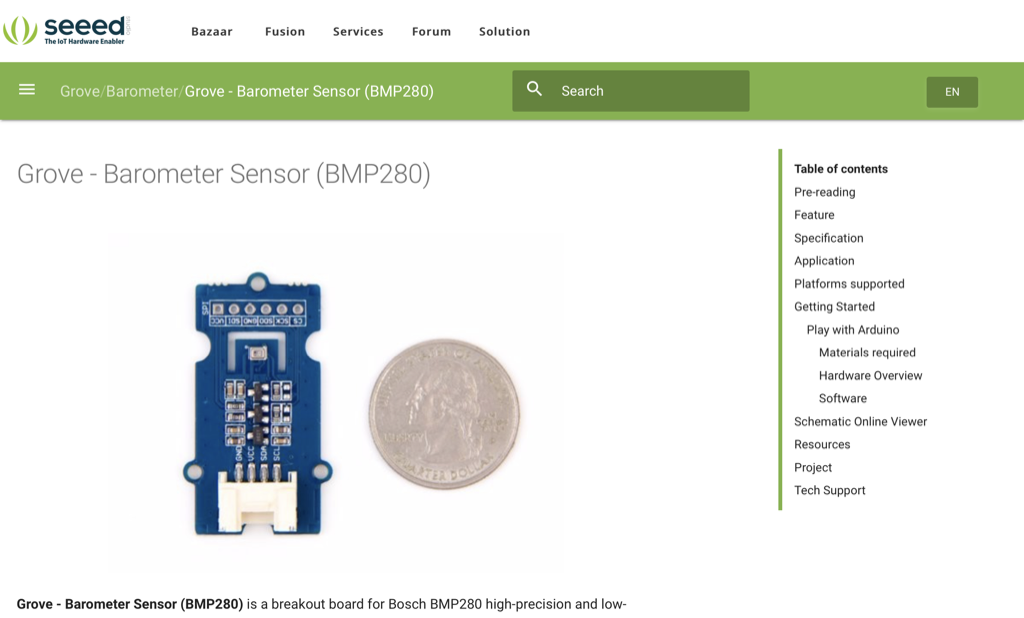
Other lessons provides the links to the libraries needed. For example, lesson 9 about the barometer BME280 explains how to download, install and use the Grove BMP280 library.

Picture
Each peripheral has its own dedicated page with additional examples.
  • Grove - LED: simple LED module
  • Grove - Buzzer: piezo buzzer
  • Grove - OLED Display 0.96": 128×64 OLED screen driven by SSD1315 controller
  • Grove - Button: push button
  • Grove - Rotary Potentiometer: potentiometer
  • Grove - Light: light sensor
  • Grove - Sound: microphone
  • Grove - Temperature & Humidity Sensor: DHT11 temperature and humidity sensor 
  • Grove - Air Pressure Sensor: BMP280 atmospheric pressure sensor
  • Grove - 3-Axis Accelerator: MMA7660FC 3-axis accelerometer
  • Seeeduino Lotus: Arduino Uno compatible board with Grove connectors
​​
Picture
As a last level, the peripherals and the controller can be separated from the board and connected with fool-proof Grove cables, for more elaborated projects. 

Similarly, other peripherals can be picked and added from the Grove system, with a vast range of more than 150 compatible peripherals.
Picture
I haven't separated the different modules from the single board and tried them with the provided cables. The first batch seems to suffer from a glitch on the I²C hardware implementation for the 3-axis accelerometer. An updated batch fixes the issue.

Conclusion

Priced at less than €20 / $20, Grove Starter Kit for Arduino provides great value with hardware, software and training.

This Grove Starter Kit for Arduino is a perfect introduction to microcontrollers and embedded systems.

The availability through Amazon France opens an accessible channel for a large distribution.

Let's hope more European languages other than English and Czech will be added soon!

This board is supported by embedXcode, embedded computing on Xcode.
Picture

Pros

  • Everything to get started in one box
  • Several levels of use, from the simplest to the most sophisticated
  • ​Twelve clear and progressive lessons

Cons

  • Lessons not yet translated into European languages other than English and Czech

Wrap-Up

  • Great value

Links

  • Product page
  • Amazon.fr page
  • Wiki lessons
Picture
Picture

​Posted: 24 Aug 2020
Updated:

Powered by Create your own unique website with customizable templates.